If you have searched online for ways to save videos from YouTube, you have probably come across terms such as SaveFromYT, Save From YouTube, YouTube video downloader, YouTube downloader, YouTube to MP4, and YouTube to MP3.
These keywords are commonly associated with websites and tools that claim to help users save online videos for offline use. But before using any third-party YouTube downloader, it is important to understand what these services do, what limitations they may have, and what risks can come with them.
This guide explains the SaveFromYT concept, common features associated with these services, related search terms, safety considerations, copyright issues, and the official way YouTube supports offline viewing.
SaveFromYT: What It Is, How It Works, Safety, Alternatives and More
What Is SaveFromYT?
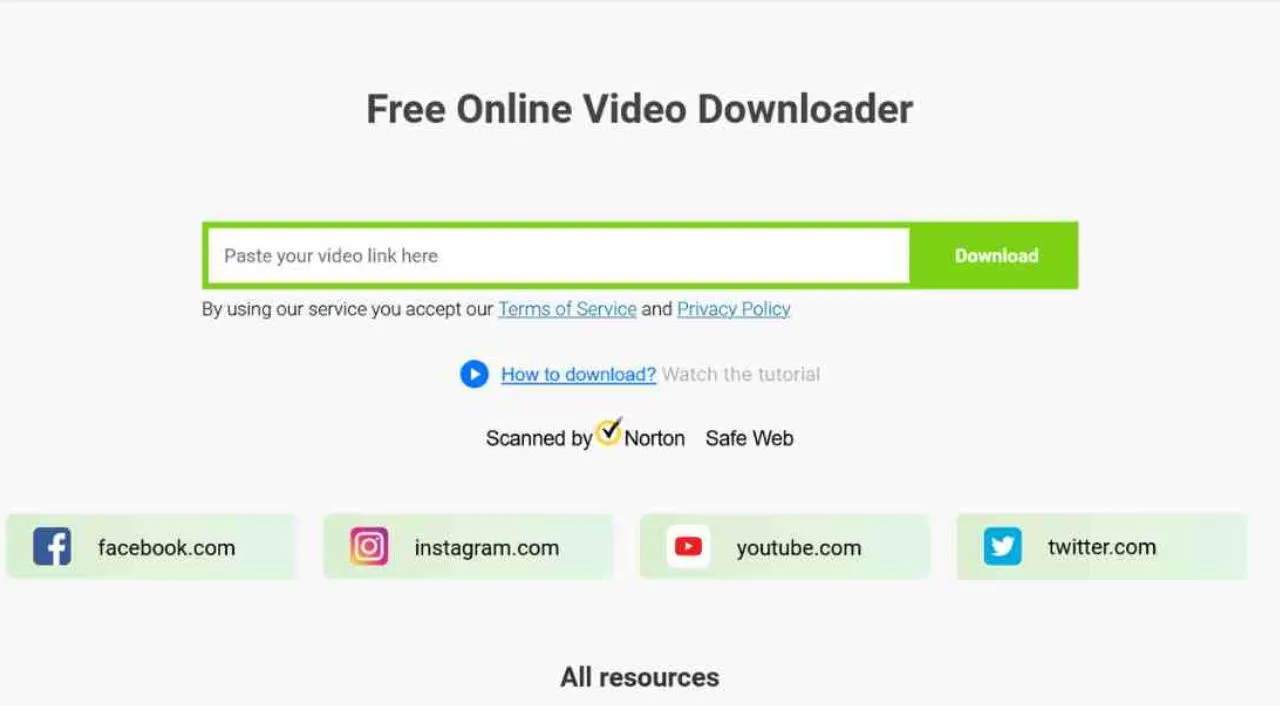
SaveFromYT generally refers to online tools or services that allow users to enter a YouTube video URL and attempt to download or save the video in a selected format.
The basic idea is simple:
- Copy the URL of a YouTube video.
- Open a compatible video-downloading service.
- Paste the YouTube link.
- Select an available format or quality.
- Start the download if the service provides one.
Different websites using similar names may offer different features. Some may advertise video downloads, audio extraction, different resolutions, or support for other social-media platforms.
Because third-party services can change domains, features, advertisements and policies, users should verify the specific website they are visiting rather than assuming that every site using a similar name is the same service.
How Does a SaveFromYT-Type Downloader Work?
A typical online downloader does not require users to install a traditional desktop application.
Instead, the process usually involves submitting a public video URL to the service. The service then attempts to identify available media streams or formats and presents download options.
Depending on the service, users may see options such as:
- Video download
- MP4
- Audio-only download
- Different video resolutions
- HD video
- Mobile-friendly formats
- Browser-based downloading
The available options can vary according to the video, platform restrictions, region, and the downloader’s own capabilities.
How to Copy a YouTube Video URL
To use any URL-based tool, you first need the video’s web address.
On a computer:
- Open YouTube.
- Open the video.
- Click the address bar.
- Copy the video URL.
You can also use YouTube’s Share option and copy the link provided there.
On mobile, open the video in the YouTube app, tap Share, and select Copy link.
SaveFromYT Search Terms and Related Keywords
People use many different search queries when looking for YouTube downloading tools. Common related keywords include:
- SaveFromYT
- Save From YT
- Save From YouTube
- SaveFrom YouTube
- SaveFromYT downloader
- SaveFromYT video downloader
- YouTube video downloader
- YouTube downloader
- YouTube download
- download YouTube videos
- YouTube video download
- YouTube to MP4
- YouTube MP4 downloader
- YouTube to MP3
- YouTube audio downloader
- YouTube video saver
- save YouTube videos
- save videos from YouTube
- online YouTube downloader
- free YouTube downloader
- YouTube downloader online
- YouTube video downloader online
- YouTube download tool
- YouTube offline video
- download YouTube videos on PC
- download YouTube videos on laptop
- download YouTube videos on mobile
- YouTube downloader for Android
- YouTube downloader for iPhone
- YouTube downloader for Windows
- YouTube video converter
- YouTube URL downloader
- YouTube link downloader
These terms represent different search intents. Some users want offline viewing, while others are looking for a particular file format or device compatibility.
SaveFromYT and YouTube to MP4
YouTube to MP4 is one of the most common search phrases associated with online video downloaders.
MP4 is a widely supported video format and can generally be played on computers, smartphones, tablets and many other devices.
Third-party services may advertise different MP4 quality options, but the actual availability depends on the particular video and service.
Users should also understand that converting or downloading a video does not automatically give them permission to redistribute or republish that content.
SaveFromYT and YouTube to MP3
Another common search is YouTube to MP3.
These services generally attempt to extract audio from a video and provide it as an audio file. This can be useful for content that the user owns or has permission to download and convert.
However, copyrighted music, podcasts, interviews and other protected content may have restrictions on downloading, conversion or redistribution.
Is SaveFromYT Safe?
Safety is an important consideration when using any third-party downloading website.
Not every website using a similar name or offering a similar service has the same security standards.
Potential issues can include:
- Aggressive advertisements
- Misleading download buttons
- Pop-ups
- Redirects
- Browser notification requests
- Suspicious browser extensions
- Unwanted software
- Fake security warnings
- Requests for unnecessary personal information
A user should be particularly cautious if a website asks them to install unknown software or browser extensions simply to download a video.
Safety Tips
If you decide to visit a third-party downloader, consider these basic precautions:
- Check the website address carefully.
- Avoid suspicious pop-ups.
- Do not install unknown browser extensions.
- Do not provide unnecessary personal information.
- Do not enter passwords or payment information into an unfamiliar downloader.
- Keep your browser and security software updated.
- Be careful with files that have unexpected extensions.
- Close pages that repeatedly redirect you to unrelated websites.
Is SaveFromYT Legal?
Whether downloading a particular YouTube video is permitted depends on several factors, including copyright ownership, the video’s license, the purpose of the download, and applicable laws.
A video being publicly viewable does not automatically mean that it can be freely copied, redistributed or commercially reused.
For example, downloading your own video for backup purposes is different from downloading someone else’s copyrighted movie and uploading it to another website.
Before downloading or reusing content, check the relevant copyright permissions and the terms that apply to the service and content.
Can You Download Any YouTube Video?
No. The availability of downloading options depends on the video, platform restrictions and the method being used.
Some content may have restrictions that prevent or limit downloading through particular services.
You should also distinguish between:
Offline viewing:
Saving content through YouTube’s supported functionality for later viewing within YouTube.
Permanent file downloading:
Obtaining a standalone video file that can be moved, edited or uploaded elsewhere.
These are not necessarily the same thing.
YouTube’s Official Download Option
YouTube itself provides an official offline viewing feature for eligible content and users.
For supported videos, users may see a Download button on YouTube. Depending on the account and location, YouTube Premium may be required.
The official approach is designed for offline viewing through YouTube rather than giving users unrestricted ownership of a standalone video file.
To use it:
- Sign in to YouTube.
- Open an eligible video.
- Select Download.
- Open the Downloads section later to access the saved content.
Availability and requirements can vary by location, account and video.
SaveFromYT vs YouTube Official Downloads
The two approaches serve different purposes.
| Feature | Third-Party Downloader | YouTube Official Download |
|---|---|---|
| Requires a video URL | Usually | No |
| Works inside YouTube | No | Yes |
| Offline viewing | May be offered | Yes, for eligible content |
| Standalone file | May be advertised | Generally no |
| Third-party website involved | Yes | No |
| Potential ad/redirect risk | Depends on website | Lower |
| Copyright considerations | Still apply | Still apply |
The most important point is that a downloader does not remove copyright restrictions.
Can SaveFromYT Download YouTube Shorts?
Searches for YouTube Shorts downloader are also common.
Some third-party tools may claim to support Shorts URLs. However, the same copyright and platform considerations apply to Shorts as to standard YouTube videos.
If you created the Short yourself, keeping your original video file is generally preferable for backup purposes.
For someone else’s Short, check whether you have permission to download and reuse it.
Can You Use SaveFromYT on a PC or Laptop?
Browser-based download services are generally designed to work through a web browser, meaning users may encounter them on Windows PCs, Macs and other computers.
The exact compatibility depends on the individual service.
For official YouTube offline viewing, YouTube provides its own supported experience through compatible browsers and accounts.
Can You Use a YouTube Downloader on Android or iPhone?
Searches for YouTube downloader Android and YouTube downloader iPhone are common.
Mobile users should be especially careful with third-party downloader applications and websites because unofficial apps can request permissions that are unnecessary for their stated purpose.
For normal offline viewing, YouTube’s own mobile download feature is the safer starting point.
Why Do People Search for SaveFromYT?
There are several reasons users search for terms such as SaveFromYT and YouTube downloader:
- They want to watch content without an internet connection.
- They have limited or unreliable connectivity.
- They want to save their own uploaded videos.
- They want to create a personal backup.
- They need offline access while travelling.
- They are looking for a particular file format.
- They want to save educational content for later viewing.
However, the appropriate method depends on who owns the content and what rights the user has.
What Should Content Creators Do Instead?
If you are a YouTube creator, maintaining original copies of your videos is the best way to create a reliable backup.
Keep your:
- Original video files
- Edited project files
- Thumbnails
- Audio files
- Captions
- Descriptions
- Metadata
- Final exported videos
This avoids relying on third-party download websites to recover your own content later.
Frequently Asked Questions
Is SaveFromYT an official YouTube service?
No. A third-party service using the SaveFromYT name should not be assumed to be affiliated with YouTube. YouTube’s official offline-download functionality is provided directly through YouTube.
Is SaveFromYT free?
Third-party services using the SaveFromYT name may advertise free downloading, but features and availability can change. Be cautious of websites that request payment or personal information unexpectedly.
Can SaveFromYT download videos in HD?
Some third-party downloaders may advertise HD or multiple resolution options. Actual availability depends on the video and the service.
Can SaveFromYT convert YouTube videos to MP4?
Some services may advertise YouTube-to-MP4 conversion. Users should verify the service’s current functionality and consider copyright permissions before downloading or converting content.
Can SaveFromYT convert YouTube videos to MP3?
Some third-party services advertise audio extraction from YouTube videos. Whether you may legally download or convert particular content depends on its copyright and applicable permissions.
Is it safe to use online YouTube downloaders?
Safety varies considerably between websites. Avoid suspicious pages, unexpected downloads, browser extensions, pop-ups and requests for sensitive information.
Can I download someone else’s YouTube video?
A publicly available video is not automatically free to copy or redistribute. Check the video’s license and obtain permission when required.
What is the safest way to watch YouTube videos offline?
For eligible videos, YouTube’s own Download feature is the official option for offline viewing. Availability may depend on your account, location and the specific video.
Final Thoughts
SaveFromYT and similar terms are widely associated with searches for YouTube video downloading, MP4 conversion, MP3 extraction and offline video access.
Before using a third-party downloader, understand the difference between offline viewing and obtaining a standalone video file. Also consider website security, copyright restrictions and YouTube’s terms.
If your goal is simply to watch supported YouTube content offline, the platform’s built-in download feature provides an official option. If you are saving your own content, keeping the original files is the most reliable solution.
Read Also:
- From Magazine Pages to Digital Audiences: How The Success Prime Magazine Extends Every Print Campaign Online
- The Business of Being Unaffordable: How Rising Costs Are Creating New Markets in America
- Top 10 Richest Politicians in America (2026 Net Worth Ranking)
- Start a Franchise for Under $15K: Top Affordable Options
- Why America’s Subscription Boom Is Real, But the Bill Comes Due Somewhere