Edit PDF Easily: Add Text, Shapes, Comments & Highlights with iLovePDF
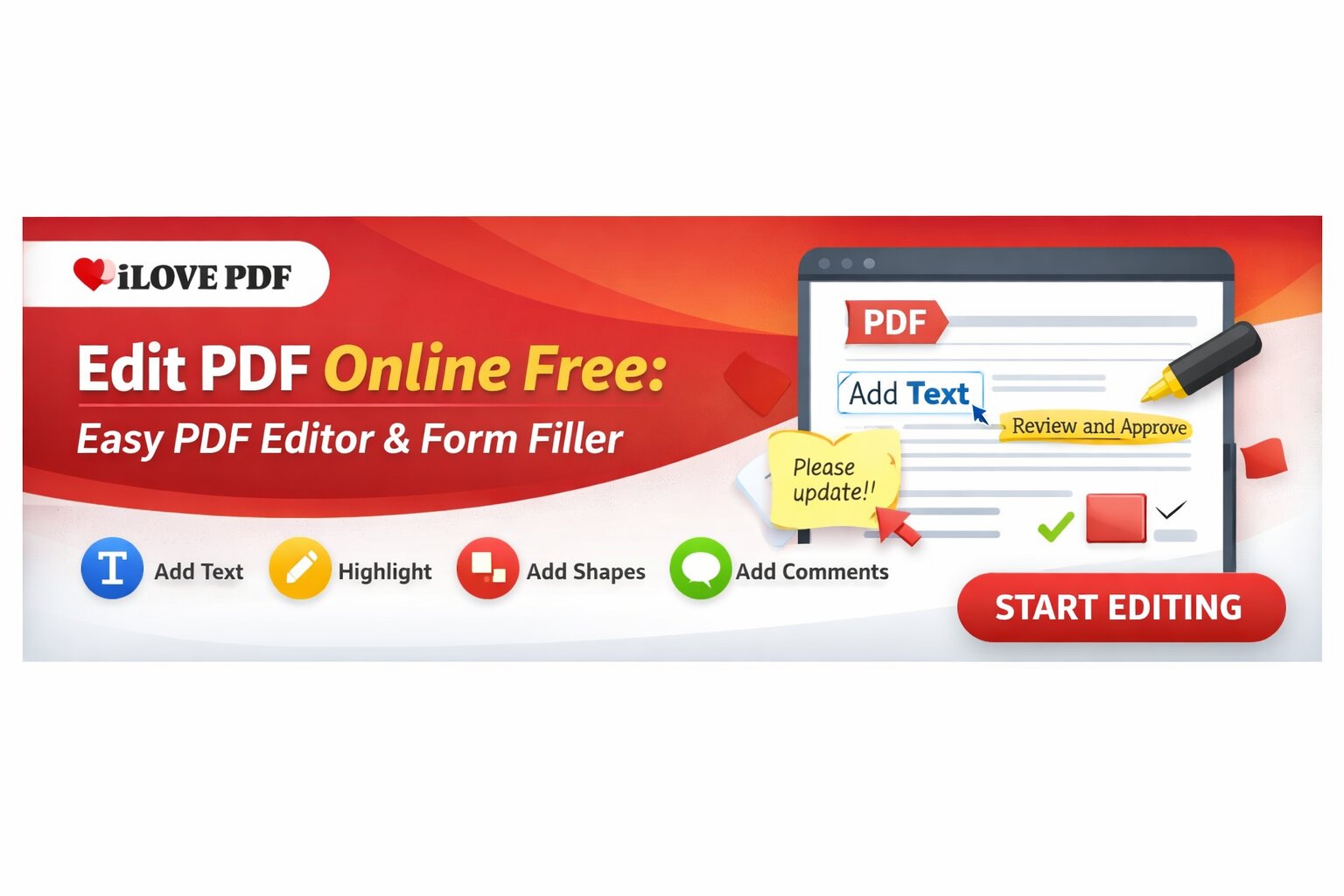
Editing a PDF used to mean downloading heavy software, learning complicated tools, and spending hours making small changes. Not anymore. With iLovePDF, you can edit PDF files online by adding text, shapes, comments, and highlights — all in a secure and user-friendly environment.
Whether you’re a student, professional, or business owner, this simple online tool helps you modify documents quickly without technical expertise.
Why Editing PDFs Is Important
PDFs are widely used for contracts, resumes, assignments, reports, and official documents. But what happens when you need to:
Correct a typo
Add missing information
Highlight key points
Leave comments for review
Insert shapes or markups
Instead of recreating the entire document, you can simply edit it online in seconds.
Key Features of iLovePDF PDF Editor
Add Text to PDF
Need to insert new information? The text tool allows you to:
Add new paragraphs
Change font size and color
Place text anywhere on the page
Adjust alignment easily
This is perfect for filling out forms or updating documents quickly.
Highlight Important Content
When reviewing documents, highlighting is essential. With this tool, you can:
Highlight key sentences
Mark important data
Emphasize deadlines or instructions
Ideal for students reviewing notes or teams collaborating on reports.
Add Comments for Collaboration
Working in a team? The comment feature lets you:
Leave feedback directly on the document
Suggest edits
Ask questions within the file
This makes document collaboration smoother and more organized.
Insert Shapes & Annotations
Need to mark something visually? You can:
Add arrows
Insert rectangles and circles
Draw attention to specific sections
Shapes are useful for presentations, contracts, and design reviews.
Secure & Simple to Use
Security is a major concern when uploading important files online. iLovePDF ensures:
Encrypted file transfers
Automatic file deletion after processing
Safe cloud-based editing
Plus, the interface is clean and beginner-friendly. You don’t need training or tutorials to get started.
Who Can Use This Tool?
Students
Highlight notes, annotate study material, or fill application forms.
Professionals
Edit contracts, proposals, and reports quickly.
Businesses
Collaborate on documents, add comments, and streamline workflows.
Freelancers
Update invoices, agreements, and client documents instantly.
Benefits of Editing PDF Online
No software installation required
Works on any device (PC, tablet, mobile)
Saves time and effort
Simple drag-and-drop interface
Quick processing
You can access it anytime, anywhere — all you need is an internet connection.
How to Edit a PDF with iLovePDF
Upload your PDF file
Select the editing tool (text, highlight, shapes, or comments)
Make the required changes
Download your updated document
It’s that simple.
Final Thoughts
If you’re looking for a secure, fast, and easy way to edit PDF files online, iLovePDF is a reliable solution. From adding text and highlighting important sections to inserting shapes and comments, it provides all essential editing features in one place.
Instead of struggling with complex software, switch to a smarter and more efficient way to edit your PDFs — quickly and securely.
FAQ
1. What is iLovePDF?
iLovePDF is an online platform that allows users to edit, convert, merge, compress, and manage PDF files easily and securely.
2. Can I edit a PDF online without downloading software?
Yes, iLovePDF lets you edit PDFs directly in your browser without installing any software.
3. How can I add text to a PDF using iLovePDF?
Simply upload your PDF, select the text tool, click where you want to add content, and customize font size, color, and alignment.
4. Can I highlight text in a PDF online?
Yes, you can highlight important text to emphasize key points, instructions, or important sections.
5. Does iLovePDF allow adding comments to PDFs?
Yes, the comment feature enables users to leave feedback, suggestions, and notes directly within the document.
6. Can I insert shapes like arrows or rectangles in a PDF?
Yes, you can add shapes such as arrows, circles, and rectangles to mark or draw attention to specific areas.
7. Is iLovePDF safe to use?
Yes, iLovePDF uses encrypted file transfers and automatically deletes files after processing to ensure user security.
8. Who can benefit from using an online PDF editor?
Students, professionals, businesses, freelancers, and anyone who needs to quickly modify PDF documents can benefit.
9. Can I use iLovePDF on mobile devices?
Yes, it works on desktops, tablets, and smartphones through a web browser.
10. Do I need technical skills to edit PDFs online?
No, the interface is beginner-friendly and designed for easy navigation.
11. Is iLovePDF free to use?
iLovePDF offers free basic editing tools, with premium features available in paid plans.
12. Can I fill out PDF forms using iLovePDF?
Yes, you can add text to fill forms and complete PDF documents online.
13. Does editing a PDF affect its quality?
No, the editing process maintains document clarity and formatting.
14. Can I edit scanned PDFs?
You can edit scanned PDFs, but some files may require OCR (Optical Character Recognition) for text editing.
15. How fast is the PDF editing process?
Most edits are processed instantly, allowing you to download your updated file within seconds.
16. Can I collaborate with others using PDF comments?
Yes, the comment feature makes collaboration and document review easier.
17. Do I need to create an account to edit PDFs?
Basic editing can often be done without an account, but signing up may unlock additional features.
18. What types of edits can I make?
You can add text, highlight content, insert shapes, add comments, and annotate documents.
19. Is there a limit to file size for editing?
Free plans may have file size limits, while premium plans allow larger uploads.
20. Why choose an online PDF editor over traditional software?
Online PDF editors are faster, require no installation, work on any device, and simplify the editing process.